Why Your Price List Must Talk to Your Warehouse
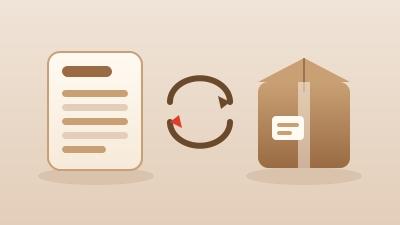
Picture the scene. A customer asks you for a quote, you open the price list, you give them the price, they confirm the order. Then you head to the warehouse and discover that item isn't there: it ran out last week and nobody updated the file. Now you have to call the customer back, explain the mix-up and hope they don't cancel the whole thing. It happens far more often than you'd think, and in almost every case the cause is one and the same: a price list and a warehouse that don't talk to each other.
When the two worlds stay separate, each lives its own life. The price list tells you what you sell and at what price; the warehouse knows what you actually have on the shelves. But if nobody connects the two, you end up selling and quoting goods that don't really exist. The result is embarrassment in front of the customer, orders that fall through, and the feeling, for the buyer, of dealing with an unreliable supplier.
Double data entry and figures that drift apart
There's another problem, quieter but just as costly: double work. If the price list is one Excel file and the warehouse is another Excel file (or a notebook, or whatever the person in production happens to remember), every time something changes you have to update it in two places. You change a price here, you move a stock level there. Sooner or later you skip a step, and it's inevitable.
From that moment on, the two archives start to drift apart. The price list says one thing, the warehouse says another, and no one knows which is right anymore. Whoever prepares a quote trusts the price list, whoever prepares the shipment trusts the warehouse, and the two only notice the mismatch once the damage is done. Double data entry isn't just wasted time: it's a factory for errors.
You're not selling a price on a sheet of paper, you're promising something that has to actually exist on the shelf.
Availability next to the price
The first thing that changes when the two modules talk to each other is simple but hugely powerful: availability appears right next to the price. Whoever looks at the catalog, whether it's you, a member of your team or a rep out visiting customers, sees straight away whether the item is in stock, how much there is, and whether it's worth proposing it now or waiting.
This changes the way you work. You no longer quote blind. If a product is running low, you notice before you promise it, not after. And when stock drops below a threshold you've set, the low-stock alert warns you in time to reorder, instead of letting you discover the gap once the order is already in.
Linked codes and the "restocking" automation
For availability to reach the price list correctly, every catalog entry needs to be tied to its matching record in the warehouse. These are the linked codes: the product you see in the price list and the item you move in the warehouse are one and the same, not two entities that merely resemble each other. You link them once and the bridge stays in place.
That link also gives rise to an automation that makes a real difference in the customer's eyes. Instead of showing a blunt "out of stock" that slams the door, the system can say "restocking" when a reorder is already on its way. It's a different message: you're not losing the sale, you're telling the customer the goods are coming back. Many orders that would otherwise be lost are saved exactly this way.
- You control the price from the price list, with the quantity-break matrix and your own processing options.
- You control the real quantity from the warehouse, with stock-ins and stock-outs.
- The availability the customer sees comes from combining the two, automatically.
A single source of data and synchronization
The heart of it all is having a single source of data. A product lives in one place only: you change it there and the change applies everywhere, because there are no parallel copies to keep aligned by hand. No more price-list Excel saying one thing and warehouse Excel saying another.
This is made possible by the synchronization between the two modules. You update a stock level with a stock-out and the availability in the catalog aligns on its own. You change a detail of the item and you find it consistent in every place it appears. It's the integration that eliminates double data entry at the root: not because you copy faster, but because you no longer have to copy anything at all.
Reports that cross-reference sales and stock
When the data is unified and always consistent, you can finally read it together. Advanced reports cross-reference what you sell with what you have on hand: which products are moving and need reordering in good time, which sit idle on the shelves taking up space, where margins hold up and where they don't.
These are the questions that go unanswered with two separate archives, because neither one, on its own, has the full picture. With sales and stock in the same database, you decide with the numbers in hand, not by gut feeling.
How VERC does it
This is exactly what VERC's Complete plan works on, bringing together the Price Lists module and the Warehouse module. The two talk to each other through linked codes to the warehouse, so availability appears next to the price, the data stays in a single source, and synchronization keeps everything aligned with no double work. On top of that, advanced reports cross-reference sales and stock to give you the real picture.
The practical result is what really matters to anyone running a business: fewer errors, fewer awkward moments with customers, and orders fulfilled better, because you only promise what you can actually deliver. VERC is a cloud management app you use from any device, wherever you are, and it was built to adapt to different industries.
If you recognize yourself in the story of the order lost to a wrong stock figure, the most honest way to find out whether it's right for you is to try it on your own products. The 30-day free trial lets you connect price list and warehouse with your real data and see, at your own pace, the difference between chasing two separate sheets and finally having everything talk to itself.